Basic and Donation items have the recurring plan option as an amount type. This option allows organizers to create a custom schedule for payment over a period of time with options for fixed or open amounts. The recurring plan amount type can be used for things such as membership dues, rent, installment fees, or a recurring giving plan, etc.
Recurring payment settings
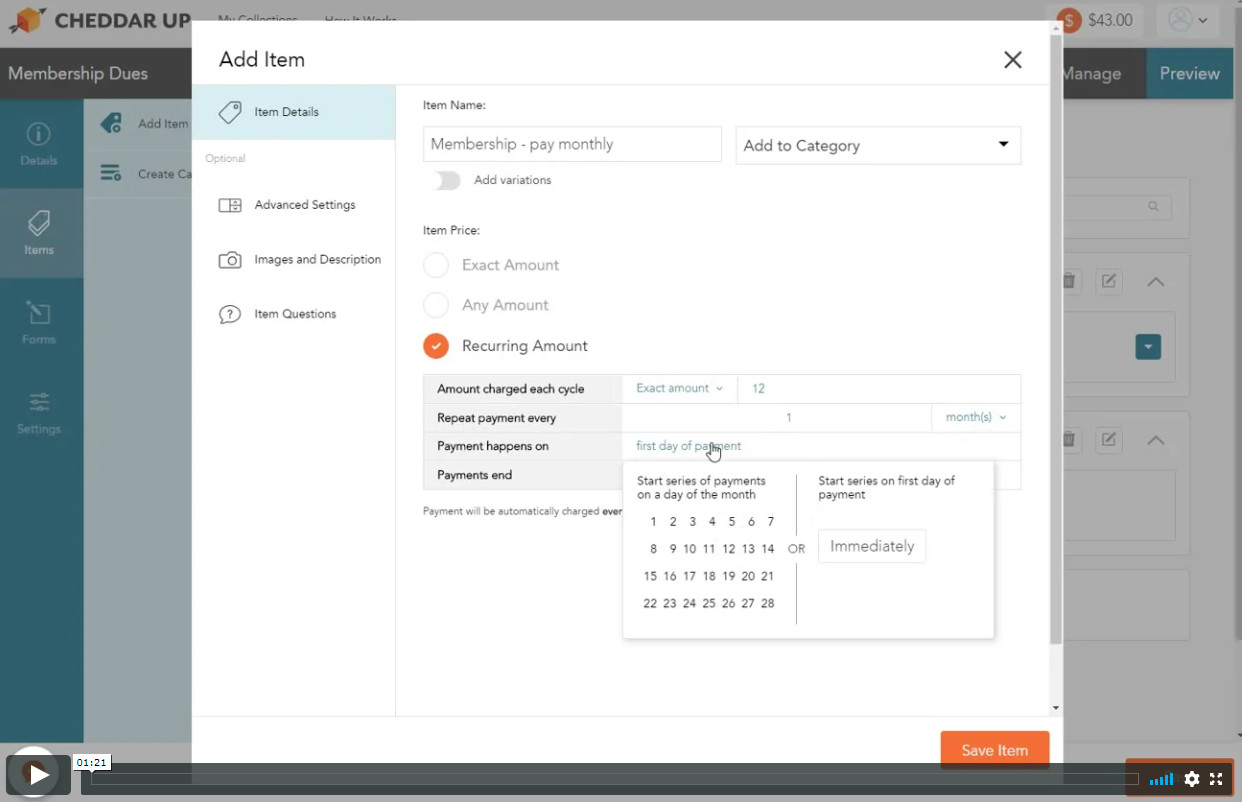
Organizers can configure the following settings when setting up their recurring plan:
- Amount charged
each cycle: This can be set as a fixed amount decided by the organizer or as an open amount for the payer or donor to decide.
- Payment frequency:
This powers the schedule in which recurring payments occur. It can be set in weeks or months.
- Date of first payment:
This can be the first day of payment (will start plan on the day of transaction) or on a specific future day of the month.
- Date payments end:
This can be “never” or after X number of payments.
Organizers can set these options when building their recurring plan schedule.
Create an item with a recurring plan payment schedule
To add the recurring plan option to your item, organizers should do the following:
- From Build > Items, choose either a "Basic" or "Donation" item.
- Give the item a name.
- Choose the "Recurring plan" option in the "Amount type" dropdown
- Configure the amount and schedule based on the settings noted above.
- Click “Save Item”.
See it in action:
Common Questions
If a recurring payment fails, you can fix the issue and try it again. Go here to learn more about retrying a failed recurring payment method.
No. During checkout, when paying for a recurring item, an online payment method (credit card or echeck) must be selected.
Yes, but with some limitations. Discount codes and taxes will only apply to recurring payment items set to start on "First day of payment (immediately)". They will NOT apply to recurring payments scheduled to begin on a scheduled or future day. In addition, discount codes and taxes will only apply to the first recurring payment.